
WealthBridge app
Gold prices, one tap away
Add WealthBridge to your home screen and it opens like any other app, straight onto today's gold and silver prices. It takes less than a minute.
- Live pricesGold and silver in UAE dirhams, updated every minute.
- Alerts as notificationsWith the Gold & Silver Alerts plan, your price alerts arrive on your phone.
- Free, no app storeNothing to download, no updates to install, no extra storage.
On iPhone
Use Safari, Apple's built-in browser.
Open the menu
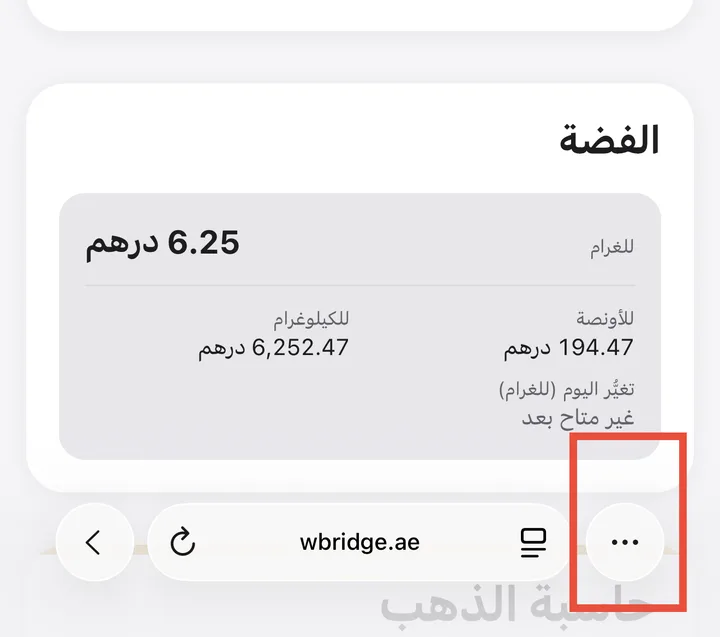
Open wbridge.ae/prices in Safari and tap ⋯ at the bottom right of the screen.
Tap Share
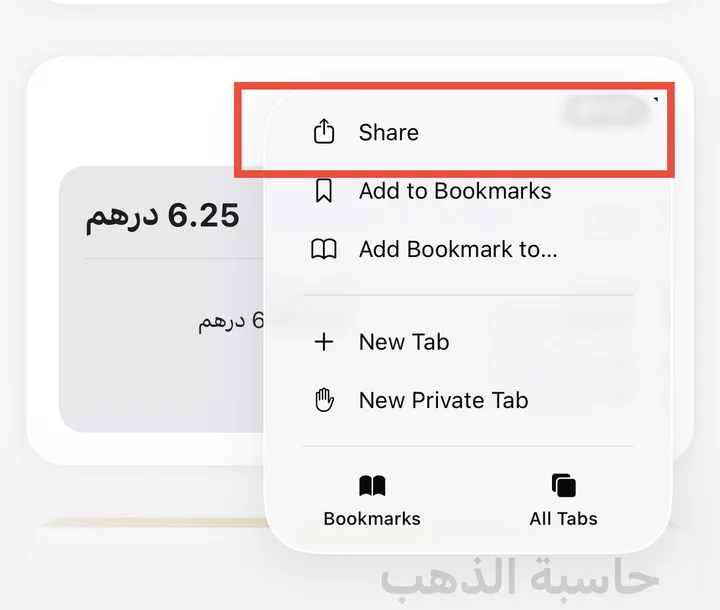
Choose Share at the top of the menu.
Add to Home Screen
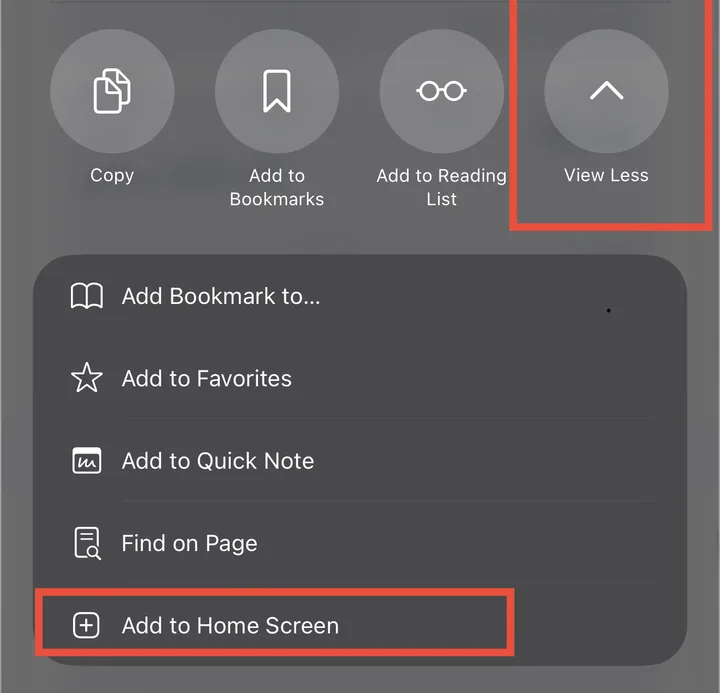
Tap the arrow button (View More) to see every option, then choose Add to Home Screen.
Tap Add
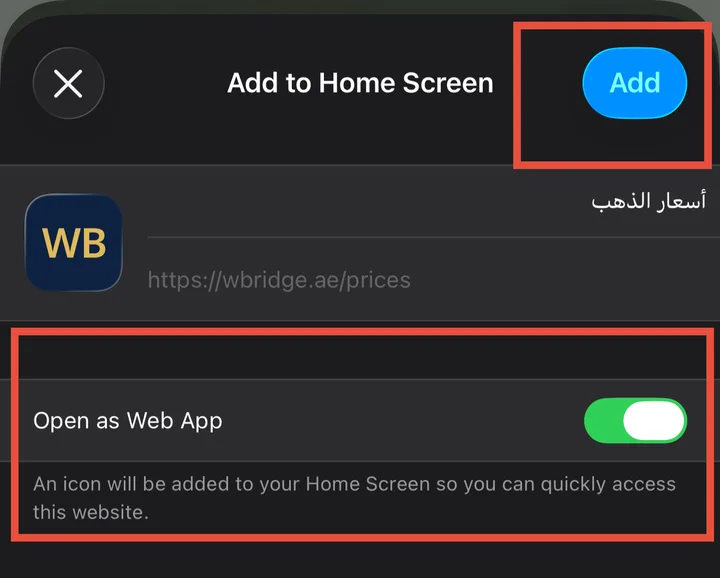
Keep Open as Web App switched on, then tap Add at the top right.
That's it: open WealthBridge from the new icon on your home screen.
On some iPhones, Share sits directly in Safari's bottom bar. If so, tap it and continue from step 3.
Screens shown in English. Your phone shows the same buttons in its own language.
On Android
Use Chrome.
- Open wbridge.ae/prices in Chrome.
- Tap Install the app when the site offers it, or open Chrome's ⋮ menu and choose Install app (or Add to Home screen).
- Confirm with Install, then open WealthBridge from your home screen.
Get price alerts as notifications
Included in the Gold & Silver Alerts plan and All-Access.
- Open WealthBridge from the home screen icon and sign in.
- Go to Account → Price alerts and tap Turn on notifications, then Allow.
- Create an alert and choose App notification. We notify you once when the price reaches your amount.
On iPhone, notifications work only from the home screen icon, not from Safari.